

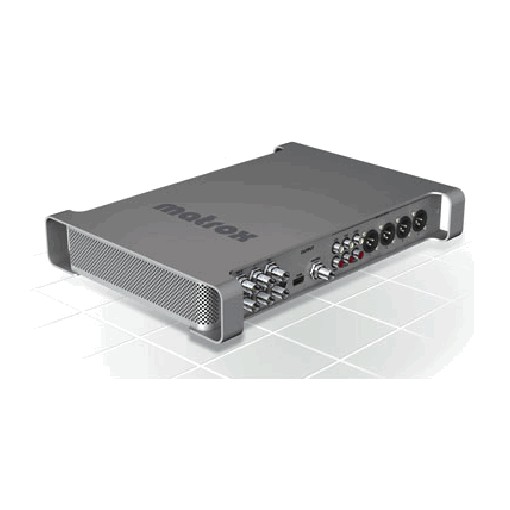

Matrox MXO2 gives you broadcast-quality input and output for your favorite editing app plus a variety of productivity tools in a convenient, portable breakout box. Matrox MXO2 amplifies your productivity with all the industry’s leading editing and content creation software for Mac and PC, as well as a wide variety of streaming, live production, and broadcast applications.
Matrox MXO2 gives you a full range of professional audio and video inputs and outputs, genlock, and RS-422 machine control – right on the box. Direct 5.1 surround sound monitoring is supported on the RCA outputs and both 5.1 and 7.1 surround sound monitoring are supported on the HDMI output. No additional breakout cable is required. Deliver projects in all the formats your clients demand. Matrox MXO2 provides high-quality up/down/cross conversion on capture and output.
The unique Matrox HDMI Calibration Utility lets an HDMI monitor perform like a broadcast HD/SD monitor with 10-bit 4:2:2 color precision.Free productivity tools including Matrox MAX H.264 Capture, let you capture directly to H.264 files for the web, mobile devices, and Blu-ray. The new Matrox USB Webcam Emulator utility makes it easy to use professional and consumer cameras with web conferencing software like GoToMeeting™, GoToTraining™, Adobe® Connect™ and Skype™.
Engineered without the need for a failure-prone cooling fan, the rugged aluminum chassis acts as a heat sink to dissipate internal heat for a long reliable life and noise-free operation. Only the highest quality components go into Matrox I/O devices. Matrox MXO2 devices are the only I/O products that go wherever you need them – Mac and PC; laptop and desktop; in the studio, in an OB van, and on set. Matrox MXO2 can even run off of standard field batteries. For maximum versatility, they connect to your computer via a PCI Express adapter card, an ExpressCard/34 adapter, or a Thunderbolt adapter.
Matrox SDI I/O products provide acquisition, monitoring, and delivery of closed captions with Final Cut Pro, Adobe Premiere Pro, and Avid Media Composer on the Mac. In addition, They can also let you use standard (non-closed captioning enabled) monitors to preview HD timelines with closed captioning data by overlaying decoded closed captioning text over the previewed video. This is the ideal cost-effective way to see your closed captions, even when you’re using an inexpensive HDMI display as your program monitor with Adobe Premiere Pro
Also known as